

I just recently noticed that WordPress was upgrade to a new version and it brings a lot of changes including a new Gutenberg editor. The new version replaces the good old Classic Editor that we have been using for years. Seriously, the new post editor is not a user-friendly and because of that I feel more discourage not to post anymore. I even tell myself to give the new version another try but the more I try to use it the more it irritates me 🥴. LOL!
What you need to know about the new Gutenberg:
Gutenberg is a sleek and modern block-based editor that completely alters the way posts and pages are created. But it’s still in its early days. Some bloggers and writers don’t like it because they are not familiar with it while others think the block-based editor is way more complex than the classic editor.
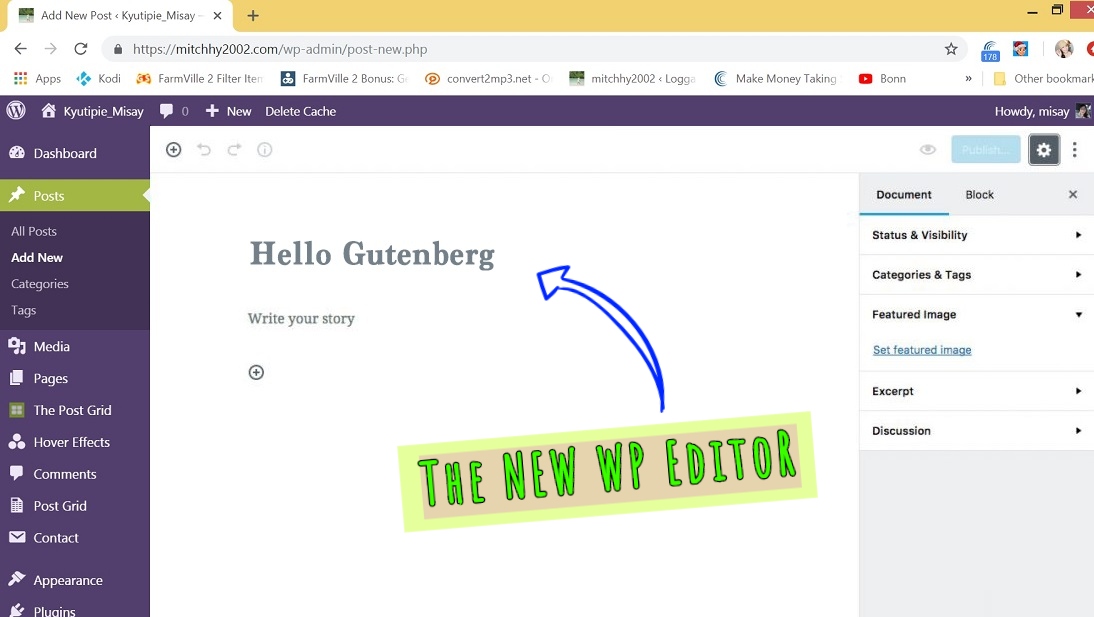
Well! I’m not sure what are the purpose of that block format or how it is an improvement. I prefer to have all of my options along the top menu like the old editor, rather than having to search the side menu or scroll, and then click through the dropdown menu. It is taking me longer to do things that used to be instant before. I admit! I’m not an html or program-savy person that is the main reason why I find it hard to use. I like to be able to have a control over my entire post where I can see all the tabs and menu (let say it old school 😀 LOL!) Time consuming I must say!
Continue reading “How To Switch Back To Old Classic Editor in WordPress”